








Start Your Day with a Plan
Introduction to Daily Planning
Starting your day without a plan is like setting out on a journey without a map. Even the most capable professionals can get lost in distractions, missed deadlines, and overlapping tasks. Trevor AI is designed to solve this problem by combining intelligent task management with AI-driven time-blocking, giving you control, clarity, and focus right from the start of your day.
With Trevor AI, planning doesn’t have to be complicated or time-consuming. Within minutes or even 30 seconds you can have a fully structured day that balances your most critical priorities with time for deep work and personal focus.
See & Manage Everything Worth Your Time
Trevor AI consolidates all your tasks, meetings, and events in a single hub, so you no longer need to toggle between multiple apps.
-
Benefit: By having a unified view, you can quickly assess what’s important, what can wait, and what can be delegated.
-
Example: Imagine a marketing manager juggling emails, project deadlines, client calls, and personal errands. With Trevor AI, all tasks appear in one dashboard. The manager can immediately spot potential conflicts and reorder priorities before the day starts.
Pro Tip: Use the “Today” view to check your most urgent tasks and meetings at a glance. This helps prevent cognitive overload and decision fatigue.
2 Turn To-Dos into Time-Blocks — Instantly
One of Trevor AI’s most powerful features is the ability to transform your to-do list into structured time blocks.
-
Step-by-step:
-
Add your to-do items or import them from your preferred task manager.
-
Let Trevor AI automatically suggest the optimal time for each task based on priority, deadlines, and predicted duration.
-
Drag and drop to make manual adjustments if needed.
-
Example: A freelance designer has three client projects, one personal task, and a team meeting. Within moments, Trevor AI organizes these into morning, afternoon, and evening blocks, ensuring high-priority projects are completed when focus is highest.
Why it works: Time-blocking reduces context switching, increases focus, and helps ensure that tasks are completed rather than just listed.
3 Plan Your Optimal Day or Week — Automatically
Trevor AI doesn’t just help you manage today—it plans your week. By analyzing recurring patterns, workload, and deadlines, it can:
-
Optimize your day for deep focus and productivity
-
Prevent task overlap and over-scheduling
-
Highlight potential time gaps for strategic work or learning
Example: A project manager can let Trevor AI auto-schedule a week of tasks while accounting for meetings, deadlines, and personal time. The AI suggests the optimal order to tackle tasks to maximize efficiency without overloading any single day.
4 Enter Flow & Do Your Best Work
Trevor AI’s Focus Mode is designed to help you enter “flow,” a state of deep concentration where productivity peaks.
-
Breaks tasks into actionable steps
-
Silences notifications during focused work sessions
-
Tracks completed vs. remaining tasks
Example: A software developer working on a complex module can schedule a 90-minute Focus Mode session in the morning when cognitive energy is highest. Trevor AI ensures all tasks fit into that block without interruptions.
5 Ask Trevor — Your Capable Planning Assistant
Trevor AI is more than a scheduler—it’s a smart assistant. You can ask questions in natural language:
-
“Move my low-priority tasks to tomorrow.”
-
“What’s the best time to finish my report?”
-
“Show me gaps in my day for deep work.”
The AI adapts to your habits over time, providing personalized scheduling recommendations.
6 Improve Every Day with Your AI Coach
Trevor AI offers daily coaching insights:
-
Tracks missed deadlines
-
Detects overlapping tasks
-
Suggests schedule improvements based on patterns
Example: If you consistently underestimate a recurring task, Trevor AI will suggest longer blocks in the future. Over time, this creates a feedback loop that improves both planning and execution.
Plan Your Day in 30 Seconds…
Time is a premium resource, especially for busy professionals, entrepreneurs, and students juggling multiple responsibilities. Trevor AI allows you to plan your day almost instantly by leveraging AI-driven automation, smart suggestions, and predictive scheduling. What used to take 30 minutes—or even an hour—can now be done in under 30 seconds, giving you more time to focus on actual work.
This isn’t just convenience; it’s a productivity game-changer. By letting the AI handle scheduling logistics, you can prioritize strategic work, deep focus sessions, and meaningful tasks instead of micro-managing your calendar.
How Trevor AI Creates a Day Plan in Seconds
Trevor AI uses a combination of algorithms and machine learning to automatically analyze:
-
Your tasks: imported from your preferred task manager (Todoist, Asana) or entered manually.
-
Calendar events: existing meetings and appointments.
-
Priority levels: deadlines, importance, and recurring patterns.
-
Predicted durations: how long each task will realistically take.
-
Focus windows: your optimal energy and productivity periods.
With this data, Trevor AI can instantly generate a fully structured schedule, including:
-
Morning focus sessions
-
Midday meetings
-
Afternoon project work
-
Breaks and buffer time
Example:
A product manager opens Trevor AI at 8:00 AM. By 8:00:30, the AI has:
-
Blocked 90 minutes for a feature design review
-
Scheduled follow-up emails in a 30-minute slot
-
Added a 15-minute stretch break
-
Created an auto-prioritized task list for the rest of the day
Quick-Step Workflow
Here’s how you can plan your day in 30 seconds:
-
Open Trevor AI on desktop or mobile.
-
Sync your calendar and task apps (if not already synced).
-
Click “Plan My Day” or type a natural-language query:
-
“Schedule today for maximum focus.”
-
-
Review the AI-generated plan.
-
Adjust manually if necessary: drag-and-drop tasks, move blocks, or mark priority changes.
-
Start your day with confidence, knowing your schedule is optimized for focus and completion.
Benefits of the 30-Second Plan
-
Saves time: Less time spent organizing, more time for execution.
-
Reduces decision fatigue: AI does the heavy lifting.
-
Increases productivity: Tasks are scheduled in the optimal order.
-
Builds consistency: Daily planning becomes effortless, improving long-term habits.
Real-Life Example
Consider a freelancer juggling three clients and personal development tasks:
-
Without Trevor AI: 45–60 minutes of manual planning, risk of double-booking, missed deadlines, stress.
-
With Trevor AI: 30-second plan generated, tasks intelligently sequenced, buffer times included, focus periods highlighted.
Result: The freelancer completes all high-priority work without feeling overwhelmed, and still has time for learning or creative projects.
Tip for Power Users
Combine Quick Plan Mode with Focus Mode to instantly transition from planning to deep work. The AI will automatically break tasks into actionable steps, and notifications are minimized during focus sessions. This ensures your 30-second plan translates directly into tangible results.
Data Privacy & AI Transparency
In 2025, AI-powered productivity tools like Trevor AI will handle highly sensitive personal and professional data. Users need to trust that their tasks, calendar events, and personal notes are secure, private, and used ethically. Trevor AI addresses these concerns through robust data privacy policies and transparent AI operations, ensuring that your planning assistant is reliable, safe, and accountable.
Why Data Privacy Matters
AI assistants are only as trustworthy as the policies and systems behind them. Trevor AI collects task data, calendar events, and user preferences to provide optimized scheduling, but all data handling adheres to strict security standards.
Key considerations include:
-
Sensitive business data: Projects, client meetings, deadlines.
-
Personal productivity insights: Time usage, focus patterns, task completion rates.
-
Integration security: Data from connected apps like Todoist, Asana, Google Calendar, and Microsoft Outlook.
By maintaining transparency, Trevor AI allows users to control what data is shared, how it is used, and what AI insights are generated.
AI Transparency Explained
Transparency in AI means users can understand how recommendations and scheduling decisions are made. Trevor AI ensures this by:
-
Explaining task suggestions: Each AI-generated time block comes with a rationale:
-
“This task is scheduled at 9 AM because your focus is highest in the morning.”
-
“Buffer added before meetings to prevent overlap.”
-
-
Predictive duration clarity: AI predicts task duration based on historical patterns, but users can override estimates if necessary.
-
Adaptive learning: Trevor AI learns user habits over time but provides clear indicators of which suggestions are AI-driven.
Example:
A project manager notices that a 60-minute task was automatically scheduled for late afternoon. Trevor AI shows:
“Scheduled after lunch to allow uninterrupted deep work before the next meeting.”
This level of transparency builds trust and predictability.
User Control and Consent
Trevor AI respects user autonomy:
-
Manual overrides: Users can easily move, resize, or remove blocks.
-
Data settings: Control which apps are synced, what data is collected, and whether AI suggestions are applied.
-
Privacy-first defaults: Tasks and personal data are never shared externally without consent.
Pro Tip: Regularly review the AI suggestion settings to ensure the assistant adapts according to your current priorities and workflow.
Regulatory Compliance
Trevor AI adheres to global data privacy standards such as GDPR and CCPA, ensuring compliance with local laws for both personal and professional data. This adds another layer of trust for users managing sensitive or confidential information.
Trust-Building Features
-
Audit logs: Users can see changes made by the AI over time.
-
Transparency reports: The system provides insights into AI-driven scheduling decisions and patterns.
-
Secure cloud storage: All user data is encrypted in transit and at rest.
Example:
A remote team manager can confidently sync client project deadlines, knowing that all data is encrypted and that the AI won’t make unauthorized scheduling decisions.
Features & Pricing
Trevor AI is designed to accommodate a wide range of users, from casual planners to high-demand professionals managing multiple projects. Understanding the features and pricing is essential for choosing the right plan and maximizing productivity. Trevor AI offers a Free plan with essential capabilities and a Pro plan with advanced AI-driven features designed for heavy-duty planning and professional workflows.
Free Plan: Essential Productivity Tools
The Free plan provides a robust set of tools to help users get started with AI-assisted scheduling:
-
Task Hub
-
Centralized location to view, organize, and prioritize all tasks.
-
Example: A student uses Task Hub to track assignments, exams, and study sessions in one place.
-
-
Smart Planner
-
AI-assisted planning converts tasks into daily and weekly schedules automatically.
-
Ensures that important tasks are not overlooked.
-
-
Unlimited Task Scheduling
-
Schedule as many tasks as you need without restrictions.
-
Ideal for users who manage multiple projects or side gigs.
-
-
Focus Mode
-
Blocks distractions during high-priority work sessions.
-
Splits tasks into actionable steps to maintain flow.
-
-
Predicted Task Duration
-
AI estimates realistic completion times for tasks based on historical data.
-
Example: A freelancer sees that reviewing a report will take 45 minutes, instead of guessing 1–2 hours.
-
-
AI Scheduling Suggestions
-
Recommends optimal task sequences and time blocks.
-
Helps prevent overloading certain periods and ensures breaks are included.
-
Pro Plan: $5/month (Paid Annually)
The Pro plan is tailored for professionals and teams who require advanced AI capabilities, multi-calendar management, and deeper insights.
Key Features of the Pro Plan
-
Multiple Calendar Accounts
-
Integrate Google Calendar, Outlook, and other calendars for a unified view.
-
Prevent conflicts and double-bookings across different accounts.
-
-
Personal AI Model
-
AI learns your specific work habits, preferences, and task priorities for personalized recommendations.
-
Example: It schedules creative tasks during your peak energy hours.
-
-
Recurring Scheduled Tasks
-
Automates repetitive tasks such as weekly meetings or monthly reports.
-
Saves time on manual entry and ensures nothing is missed.
-
-
Smart Scheduling Queue
-
AI prioritizes tasks dynamically based on urgency, importance, and energy levels.
-
Ensures critical tasks are handled first.
-
-
Personal Scheduling Insights
-
Reports on your productivity trends, task completion rates, and focus patterns.
-
Example: You can see that your most productive hours are 9–11 AM and adjust future plans accordingly.
-
-
Rescheduling Suggestions
-
AI automatically suggests new times for tasks if conflicts arise.
-
Helps maintain consistency without manual adjustments.
-
-
Ask Trevor
-
Natural language assistant to answer questions and modify your schedule.
-
Example: “Reschedule low-priority tasks to tomorrow” or “Suggest the best time for deep work.”
-
-
Scheduling Blocks & Calendar View
-
Visualizes tasks as time blocks for clear planning.
-
Supports drag-and-drop adjustments for flexibility.
-
Comparison of Free vs. Pro
| Feature | Free Plan | Pro Plan |
|---|---|---|
| Task Hub | ✅ | ✅ |
| Smart Planner | ✅ | ✅ |
| Unlimited Task Scheduling | ✅ | ✅ |
| Focus Mode | ✅ | ✅ |
| Predicted Task Duration | ✅ | ✅ |
| AI Scheduling Suggestions | ✅ | ✅ |
| Multiple Calendar Accounts | ❌ | ✅ |
| Personal AI Model | ❌ | ✅ |
| Recurring Scheduled Tasks | ❌ | ✅ |
| Smart Scheduling Queue | ❌ | ✅ |
| Personal Scheduling Insights | ❌ | ✅ |
| Rescheduling Suggestions | ❌ | ✅ |
| Ask Trevor | ❌ | ✅ |
Pro Tip: Professionals managing multiple clients, deadlines, or team tasks benefit most from the Pro plan due to its automation, insights, and multi-calendar integration.
Practical How-To Guides
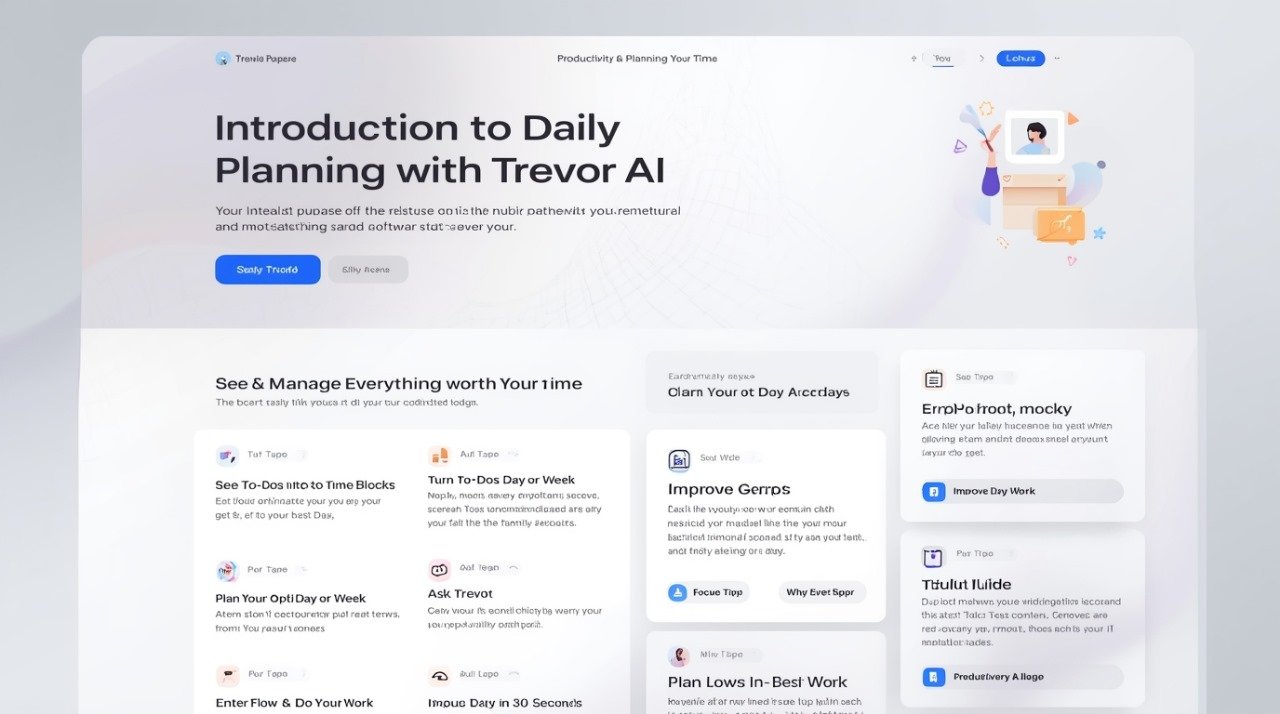
Understanding Trevor AI’s features is one thing—but knowing how to use them in real-world workflows is where productivity skyrockets. This section provides step-by-step guidance for daily and weekly planning, integrating Focus Mode, auto-scheduling, and AI suggestions for maximum efficiency.
1. Daily Planning Workflow
Goal: Create a fully structured day optimized for focus and completion.
Step-by-Step:
-
Open Trevor AI and sync your task and calendar apps.
-
Use the Quick Plan feature to auto-schedule all tasks for the day.
-
Review the AI-generated schedule:
-
Confirm task priorities
-
Adjust task durations if needed
-
Move lower-priority tasks to later blocks
-
-
Activate Focus Mode for high-priority tasks.
-
Track completed tasks and adjust remaining tasks dynamically throughout the day.
Example:
A content marketer starts at 8:00 AM. Trevor AI schedules:
-
8:30–10:00 AM: Draft blog post
-
10:15–11:00 AM: Respond to emails
-
11:00–12:00 PM: Team meeting
-
1:00–3:00 PM: Social media campaign planning (Focus Mode)
2. Weekly Planning Workflow
Goal: Ensure tasks and projects are evenly distributed and deadlines are met.
Step-by-Step:
-
Review your week’s deadlines, meetings, and recurring tasks.
-
Use Auto-Schedule Weekly to let Trevor AI distribute tasks efficiently.
-
Adjust manually based on personal peak energy periods and team commitments.
-
Include buffer times to accommodate unplanned work.
Example:
A project manager schedules client deliverables, internal reviews, and personal focus time for Monday–Friday, with buffer periods to prevent task overload.
3. Focus Mode for Deep Work
Goal: Maximize uninterrupted productivity on high-priority tasks.
Steps:
-
Select a task or project for Focus Mode.
-
Allocate a realistic block of uninterrupted time (e.g., 60–120 minutes).
-
Trevor AI silences notifications and splits tasks into actionable steps.
-
Work through the block and mark tasks complete.
-
Review progress and adjust future Focus Mode sessions as needed.
Real-World Example:
A software developer allocates 90 minutes in the morning for coding a new module. Trevor AI blocks out calendar conflicts and sends a subtle reminder when the block ends.
4. Auto-Scheduling vs. Manual Adjustments
Goal: Understand when to trust AI vs. personal judgment.
-
Auto-Scheduling: Use Trevor AI’s AI recommendations for fast, optimal daily planning.
-
Manual Adjustments: Move or resize blocks based on unforeseen changes or preferences.
Example:
A freelancer’s AI-suggested schedule may place creative work at 3 PM, but they feel most alert at 9 AM. Manually drag tasks to fit your energy peak while still preserving the AI’s suggested order for efficiency.
5. Task Prioritization Techniques
Trevor AI integrates priority management seamlessly:
-
High-priority: Urgent deadlines or revenue-impacting tasks.
-
Medium-priority: Important but flexible tasks.
-
Low-priority: Optional or non-critical work.
Pro Tip: Pair prioritization with Focus Mode to tackle high-impact tasks when cognitive energy is highest.
Trevor AI vs. Competitors
With the growing number of AI productivity and scheduling tools, professionals often wonder how Trevor AI stacks up against competitors like Motion, Reclaim, AkiFlow, and traditional calendar apps. This section provides an objective, detailed comparison to help users make informed decisions.
1. Trevor AI vs. Motion
Motion is known for its automatic task and calendar scheduling, similar to Trevor AI.
Comparison Table:
| Feature | Trevor AI | Motion |
|---|---|---|
| AI-driven scheduling | ✅ | ✅ |
| Focus Mode / Deep Work | ✅ | Limited |
| Multi-calendar integration | ✅ | ✅ |
| Personal AI learning | ✅ | ❌ |
| Quick 30-second plan | ✅ | ❌ |
| Recurring task automation | ✅ | ✅ |
Key Differences:
-
Trevor AI emphasizes Focus Mode and AI coaching, while Motion focuses more on automated rescheduling.
-
Trevor AI provides a personal AI model, which adapts to your habits over time.
Example:
A marketing manager using Motion may get auto-scheduled tasks, but Trevor AI additionally suggests time for creative deep work and provides feedback to improve future scheduling.
2. Trevor AI vs. Reclaim
Reclaim is a smart calendar assistant known for time-blocking and team scheduling.
Comparison Table:
| Feature | Trevor AI | Reclaim |
|---|---|---|
| Task Hub | ✅ | ❌ |
| AI Coaching / Insights | ✅ | Limited |
| Integration with multiple task apps | ✅ | ✅ |
| Personal AI model | ✅ | ❌ |
| Quick Plan in seconds | ✅ | ❌ |
Key Differences:
-
Trevor AI combines task management, time-blocking, and AI coaching in one hub.
-
Reclaim is better for team-wide scheduling, but lacks individual predictive analytics and personal AI suggestions.
Real-Life Example:
A freelancer using Reclaim may need multiple apps to manage tasks and deadlines, whereas Trevor AI consolidates everything in one interface, streamlining workflow.
3. Trevor AI vs. AkiFlow
AkiFlow focuses on task-to-calendar integration with some AI features.
Comparison Table:
| Feature | Trevor AI | AkiFlow |
|---|---|---|
| AI-driven task arrangement | ✅ | Limited |
| Focus Mode | ✅ | ❌ |
| Personalized AI model | ✅ | ❌ |
| Multiple calendar support | ✅ | Limited |
| Daily coaching insights | ✅ | ❌ |
Key Differences:
-
Trevor AI provides deep AI personalization, coaching, and focus management.
-
AkiFlow offers basic AI scheduling but doesn’t adapt over time to user behavior.
4. Trevor AI vs. Google Calendar & Microsoft Outlook
While Google Calendar and Outlook are industry-standard calendars, they lack integrated AI task management.
Comparison Table:
| Feature | Trevor AI | Google Calendar | Microsoft Outlook |
|---|---|---|---|
| Task scheduling + calendar integration | ✅ | ❌ | ❌ |
| AI-driven suggestions | ✅ | ❌ | ❌ |
| Focus Mode | ✅ | ❌ | ❌ |
| Recurring smart tasks | ✅ | Limited | Limited |
| Multi-app integration | ✅ | Limited | Limited |
Key Differences:
-
Trevor AI is designed for professionals who need AI planning assistance, not just a calendar.
-
Standard calendars require manual scheduling and do not optimize for productivity or focus periods.
Summary of Competitive Advantages
-
AI-driven Quick Planning: Plan a full day in under 30 seconds.
-
Focus Mode & Deep Work: Optimized for uninterrupted productivity.
-
Personal AI Model: Learns habits, energy patterns, and preferences.
-
Comprehensive Task Hub: Combines multiple apps in a single interface.
-
Daily Coaching & Insights: Helps improve productivity and scheduling habits over time.
Frequently Asked Questions (FAQs)
Trevor AI is a powerful productivity assistant, but new users often have questions about its capabilities, pricing, integrations, and AI features. This FAQ section addresses the most common inquiries, helping professionals make informed decisions.
What are Trevor AI’s capabilities?
Trevor AI is a daily planning and time management assistant designed to optimize workflows. Its core capabilities include:
-
AI-driven scheduling: Automatically arranges tasks based on priority, duration, and energy patterns.
-
Focus Mode: Blocks distractions and divides tasks into actionable steps.
-
Multi-calendar integration: Supports Google Calendar, Microsoft Outlook, and other calendars.
-
Daily coaching: Offers insights into task completion, missed deadlines, and productivity trends.
-
Task Hub: Centralized view of all tasks from multiple apps like Todoist and Asana.
Real-life use case: A project manager consolidates client meetings, team tasks, and personal work in Trevor AI, reducing scheduling conflicts and improving focus.
2. Is Trevor AI a calendar or a to-do list?
Trevor AI is both a calendar and a task management system. Unlike traditional calendars:
-
Tasks are automatically converted into time blocks.
-
AI suggests optimal scheduling based on deadlines, priority, and energy levels.
-
Users can view tasks in daily, weekly, or multi-calendar views.
3. How does Trevor AI plan my daily tasks?
Trevor AI uses machine learning to analyze:
-
Your tasks and priorities.
-
Existing calendar events.
-
Predicted durations for each task.
-
Your focus patterns and energy levels.
It then automatically schedules tasks into a daily plan, with optional manual adjustments.
Pro Tip: Use Quick Plan Mode to generate a full-day schedule in 30 seconds, then tweak blocks as needed.
4. Is Trevor AI Free?
Yes, Trevor AI offers a Free Plan with essential task management, AI scheduling suggestions, and focus mode.
-
Pro Plan ($5/month, billed annually): Adds multi-calendar support, personal AI learning, recurring tasks, advanced insights, and rescheduling suggestions.
5. What does the “AI” in Trevor AI do?
The AI component:
-
Analyzes workflows to optimize task order and time allocation.
-
Predicts task duration based on historical behavior.
-
Provides smart scheduling suggestions and daily coaching.
-
Adapts over time through a personal AI model to fit your habits.
Example:
If you consistently complete deep work tasks faster in the morning, Trevor AI adjusts future scheduling to match your productivity peak.
6. How does Trevor AI compare to Reclaim?
-
Trevor AI: Integrates tasks, multi-calendar support, AI coaching, and focus mode.
-
Reclaim: Primarily a team calendar assistant, with less emphasis on task management and personal AI.
Example: Freelancers and solo professionals benefit more from Trevor AI’s combined task/calendar hub.
7. How does Trevor AI compare to Motion?
-
Trevor AI: Quick 30-second planning, Focus Mode, and personal AI insights.
-
Motion: Strong auto-scheduling but limited AI personalization.
8. How does Trevor AI compare to AkiFlow?
-
Trevor AI: Full AI assistant with focus, personal insights, and multi-app integration.
-
AkiFlow: Basic task-to-calendar AI, limited personalization.
9. How does Trevor AI compare to Google Calendar or Microsoft Calendar?
-
Trevor AI adds AI-driven suggestions, time-blocking, task prioritization, and focus mode.
-
Traditional calendars are primarily for event tracking, requiring manual planning and offering no AI guidance.
10. Which tools does Trevor AI integrate with?
Trevor AI supports integrations with:
-
Task management apps: Todoist, Asana, ClickUp
-
Calendars: Google Calendar, Microsoft Outlook
-
Other productivity tools: Zapier (for workflow automation)
Conclusion
Trevor AI empowers professionals to plan their day intelligently, execute tasks efficiently, and improve continuously with AI support. By integrating task management, calendar events, and focus tools into one platform, Trevor AI provides a holistic solution for modern productivity challenges.
All facts will be verified by a human editor for accuracy before publishing.